
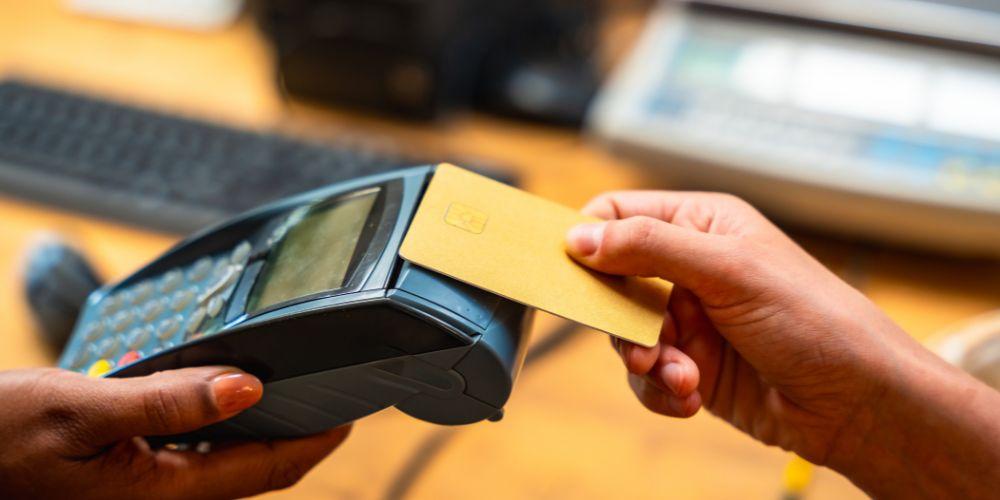
The PAX A910S is a smart mobile payment terminal designed to help businesses take card and digital wallet payments quickly and securely. It combines a touchscreen display, built-in printer, camera, and wireless connectivity in a single device powered by Android. This makes it suitable for many business types, including retail stores, restaurants, mobile vendors, and delivery services. With support for chip cards, contactless payments, swipe transactions, and mobile wallets, the terminal creates a flexible checkout experience that meets modern customer expectations.
To unlock all of these features, the device must be connected to a payment gateway. The payment gateway acts as the secure bridge between the terminal, banks, and card networks. It processes transaction requests, sends them for approval, and returns the response that tells the terminal whether the payment is approved or declined. Learning how to integrate the PAX A910S with your gateway is essential for ensuring smooth transactions, strong security, and reliable performance. When done correctly, this setup provides a fast checkout flow that benefits both your staff and your customers.
Understanding the Integration Process
Integrating the PAX A910S with a payment gateway means creating a secure communication link between the terminal and the gateway’s processing system. Every time a customer makes a payment, the terminal captures their card or wallet data and safely sends it to the gateway for authorization. The gateway then contacts the acquiring bank and card network to confirm whether the transaction can go through. A response is sent back to the terminal almost instantly, allowing the customer to complete their purchase or receive a decline message.
This entire process happens in seconds, but behind the scenes it relies on multiple layers of software, network connections, encryption, and security checks. The integration must also handle extra payment actions such as refunds, transaction voids, offline payments, end-of-day settlements, and reporting updates. Each of these processes must pass safely between the terminal and the gateway so that both sides always remain synchronized. A stable and correct connection ensures accurate records, quick approvals, and consistent financial reporting.
Exploring the Device Capabilities
Before beginning the integration, it is important to understand what the PAX A910S can do and how it connects to the internet. The terminal runs on Android, which allows developers to build or modify applications much like they would for smartphones or tablets. This means custom payment apps can be installed directly onto the device to communicate with the gateway. The terminal supports Wi-Fi, mobile data, Bluetooth, and dock-based Ethernet connections, giving businesses flexibility in choosing the most reliable network option for their setup.
Connectivity choice depends on business needs. Fixed locations often rely on stable Wi-Fi or wired internet, which can provide strong, consistent connections. Mobile vendors and delivery drivers typically use cellular service to stay connected wherever they travel. No matter which option is selected, it’s important that the network remains dependable because payment approval requires constant online communication during live transactions.
Preparing Your Gateway Integration
The next step involves gathering technical materials from the gateway provider and ensuring compatibility with the terminal. Gateways usually supply API documentation or software tools that show how to send transactions, request refunds, and receive approval messages. Developers use these details to build the Android application that bridges the terminal’s features with the gateway system.
At the same time, it is essential to confirm that your gateway is already certified or compatible with the PAX A910S device model and firmware version. Many gateways provide pre-approved connections that simplify setup, while others may require a custom integration built from scratch. Checking compatibility early prevents delays later in the certification process and avoids costly redevelopment due to unsupported features.
Configuring the Terminal Environment
Once compatibility is confirmed, the terminal must be configured to support secure payments. Installation of the payment application typically happens through a remote device management platform that allows updates and setups without physically handling each device. During configuration, encryption keys are injected into the terminal to protect card data from the very moment it is captured.
These keys ensure that all payment information is encrypted before it leaves the terminal, meeting strict security standards. Without proper key setup, chip cards and contactless payments cannot be accepted. Terminal firmware updates may also be applied during this stage to ensure maximum stability, security patches, and compliance with any new payment rules.
Establishing Communication With the Gateway
With the device prepared, the technical integration begins by creating a secure communication channel between the terminal application and the gateway’s servers. This usually occurs through encrypted online connections designed specifically for handling financial data. The application sends transaction details such as purchase amount, merchant account identifiers, and payment method information to the gateway.
Once the gateway receives the data, it routes the transaction to banking networks for approval. The decision — approval or decline — is quickly sent back to the application running on the terminal. The terminal then displays the result to the customer, prints a receipt if needed, and saves transaction records for reporting purposes.
During this stage, developers must confirm that each data transfer is properly formatted, encrypted, and logged only in safe, non-sensitive ways. Payment card numbers or PIN data must never be stored in unprotected files or logs. Compliance rules strictly prohibit storing raw card data outside secure environments.
Midway in many projects, teams explore the full device offering to ensure features align with business goals, such as when researching the pax a910s models and supported software tools for transaction customization and deployment options.
Managing Different Payment Types
The PAX A910S accepts several payment styles, including EMV chip cards, contactless taps, magstripe swipes, and mobile wallets. Each payment method follows slightly different processing steps. Chip card payments use advanced authentication where the card and terminal exchange security data before sending the transaction for approval. Contactless transactions occur through near-field communication, usually completing within seconds with minimal customer interaction.
Mobile wallets add an extra layer of protection by using tokens instead of real card numbers and verifying the customer with fingerprint or face recognition on their own device. The payment gateway must support all of these methods, and the terminal application must correctly prompt users for each specific flow.
The integration must also include fallback options, such as switching to swipe mode if a chip card repeatedly fails, while staying within security guidelines. Proper handling of payment types ensures no valid payment is lost or incorrectly declined due to technical limitations.
Testing the Integration
Before going live, extensive testing must take place. This stage ensures that all transaction scenarios perform exactly as expected. Developers run test payments for approvals, declines, refunds, voids, error handling, receipt printing, offline processing, and reconnections after network loss.
Tests also verify that screens display clear instructions and that customer prompts appear correctly during card insertion, tapping, PIN entry, or signature capture. Settlement testing is performed to ensure transactions batch properly at the end of each business day, with all totals matching gateway reports.
Without thorough testing, even small technical errors can cause customer frustration or financial discrepancies. Early identification and correction of bugs provide a reliable experience once the terminals reach real customers.
Gateway and Network Certification
After successful testing, the integration usually goes through formal certification. Card networks require proof that the terminal and payment software meet EMV security standards. Gateways typically review transaction samples to confirm proper encryption services and data routing integrity.
Certification confirms that your integrated solution is secure, compliant, and ready to process live payments. Depending on the complexity of the integration and approval response times, certification can take days or sometimes weeks to complete. Pre-certified solutions may significantly shorten this timeline.
Terminal Deployment
Once certification is complete, devices can be activated for merchants. Merchant IDs are assigned to terminals, allowing transactions to deposit funds into the correct bank accounts. Terminal profiles configure branding elements for receipts, merchant names, logos, and transaction settings like tipping prompts or gratuity percentages.
Large companies often deploy terminals across multiple locations using centralized management tools. Updates, software changes, and device monitoring can be pushed remotely to ensure consistent performance without physically collecting each terminal. This reduces downtime and keeps operations running smoothly.
Staff training becomes important at this stage, ensuring that users know how to operate the terminal, address simple errors, and perform refunds or voids when necessary.
Ongoing Management and Support
After deployment, integration work continues as devices remain in daily use. System monitoring ensures transaction success rates remain high and that any network failures or software errors are addressed quickly. Reporting dashboards help reconcile sales totals, detect settlement mistakes, and manage chargeback activity.
Software updates keep the system compliant with new card regulations and introduce improvements or bug fixes. Encryption key rotation, vulnerability scans, and regular audits maintain compliance with ongoing security requirements. Continuous maintenance ensures that the original integration remains safe and efficient over time.
Enhancing the Customer Experience
Once the terminal is fully integrated, businesses can begin expanding functionality beyond basic payments. The Android platform allows custom user interfaces, integration with loyalty programs, inventory management tools, and order tracking applications.
By combining these features with fast payment processing, businesses provide customers with shorter checkout times and more flexible purchase experiences. Optional services such as tipping, recurring billing using secure tokens, or digital receipt delivery become more accessible after integration is stable.
Security and Compliance
Security remains the foundation of the entire integration process. The terminal itself uses tamper-resistant hardware and secure PIN entry. However, software responsibilities lie with developers and system administrators. Card data must never be stored locally or transmitted outside approved encryption paths. Access to terminal settings should be restricted, preventing unauthorized app installations or configuration changes.
Regular penetration testing and compliance checks help ensure the system remains protected from threats. As payment rules evolve, integration updates are required to maintain certification and avoid service interruptions.
Conclusion
Integrating the PAX A910S with a payment gateway is a detailed but manageable process that combines careful planning, secure software development, thorough testing, and ongoing system management. From preparing the terminal environment and establishing gateway communication to certification and deployment, each step plays a vital role in creating a reliable payment platform.
When the integration is done correctly, the PAX A910S becomes far more than a simple card reader. It becomes a full business tool capable of handling modern payment methods, supporting customer engagement tools, and adapting to the future needs of merchants. Through consistent maintenance and attention to security standards, businesses can rely on the PAX A910S to deliver fast, safe, and flexible transactions every day.
https://digital24hour.com/
 akappliancerepair