
Introduction
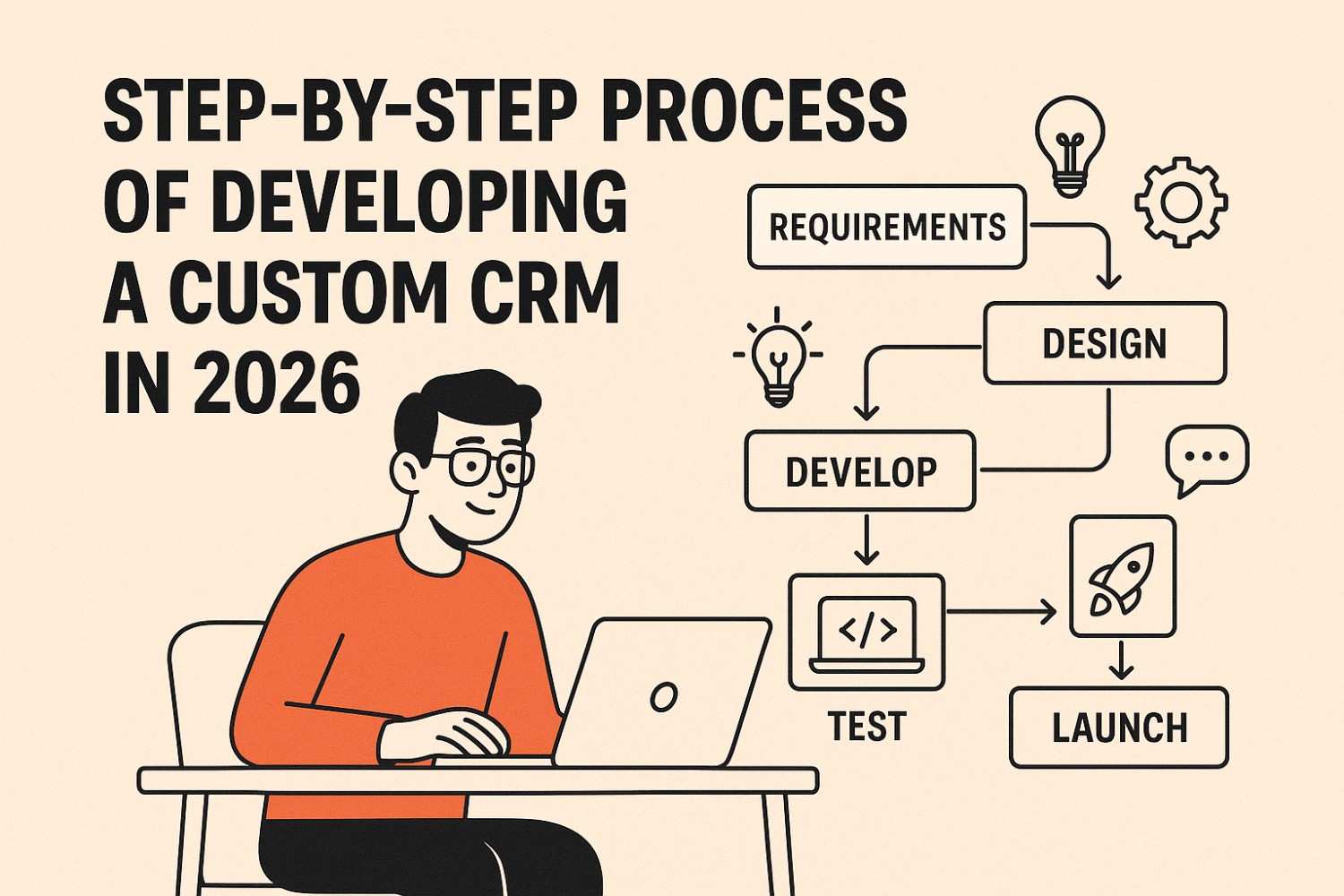
Developing a custom CRM in 2026 might feel like wrestling a digital octopus, but we’ve learned the process becomes surprisingly manageable once everything is mapped out. We’ve built enough CRMs to know that clarity, structure, and a touch of humor go a long way. This guide walks through the practical steps we take—no fluff, no drama—only the real path to building a scalable CRM.
How CRM Needs Have Evolved by 2026
In 2026, CRM expectations climbed higher than ever. Businesses now want automation, predictive insights, and clean interfaces that don’t feel like a maze. We’ve watched clients move from spreadsheets and legacy tools to smarter, unified systems. And honestly, the shift makes sense—teams need speed, accuracy, and better collaboration. Modern CRM systems deliver all three, if built with intention.
Why Businesses Are Moving Toward AI-Driven Custom CRM Solutions
AI-driven CRMs are no longer luxury tools—they’re the new baseline. Companies want systems that anticipate tasks, automate repetitive work, and offer insights without being asked. We’ve seen how AI simplifies operations and unlocks new efficiencies. As businesses grow more data-heavy, AI becomes the quiet assistant everyone relies on, making custom CRMs smarter and far more impactful.
Understanding the Business Challenge Before Writing a Single Line of Code
Before diving into development, we always revisit the real business pain points. That means asking tough questions and uncovering operational gaps teams have learned to “just live with.” This stage shapes the entire project. We’ve learned that the clearer the challenge, the cleaner the final build. Starting without this clarity? That’s how CRMs go off the rails.
Deep-Dive Workshops — The Phase Where We Ask “Why” (A Lot)
Workshops are where ideas and reality finally meet. We gather users, uncover their frustrations, and map out workflows piece by piece. Yes, we do ask “why” repeatedly—sometimes excessively—but it works. Teams often realize they’ve been following outdated processes. These sessions build alignment and give us the blueprint needed to create a system that actually solves problems.
Mapping Users, Roles & What They Secretly Want From a CRM
User mapping is more revealing than people expect. Different teams want different things—and sometimes they want features they’re shy to mention. We piece together role-based needs, permissions, and daily routines to ensure the CRM fits everyone. This prevents overload and keeps things simple. When each user gets a tailored experience, adoption skyrockets effortlessly.
Turning Messy Operations Into a Clean Workflow Blueprint
Every business has tangled workflows, and untangling them is one of our favorite challenges. We convert scattered processes—paper trails, ad-hoc steps, siloed tasks—into streamlined digital paths. This blueprint becomes the backbone of the CRM. Once teams see their operations mapped visually, the vision clicks instantly, and development becomes far smoother with fewer surprises.
Must-Haves vs. Nice-to-Haves — The Eternal CRM Debate
We’ve yet to meet a team that didn’t debate features endlessly. So, we categorize everything into “essential,” “nice,” and “maybe later.” Prioritization keeps projects realistic and budgets intact. When teams focus on the must-haves first, the CRM launches faster and evolves naturally. The nice-to-haves become part of the future roadmap—not forgotten, just better timed.
Identifying Where AI Actually Helps (And Where It Just Shows Off)
AI belongs where it adds value, not where it simply looks trendy. We evaluate processes to see where predictions, automations, or smart recommendations genuinely save time. Some tasks need human judgment, while others are perfect for AI. Separating the useful from the flashy helps keep the CRM grounded, practical, and worthy of long-term use.
Choosing the Right Tech Stack for a 2026-Ready Custom CRM
Selecting technology is all about balancing performance, scalability, and budget. We look at growth expectations, integration needs, and data volume before choosing databases, frameworks, and front-end tools. In 2026, the stack must support AI, security requirements, and real-time operations. The right tech stack ensures the CRM stays fast, flexible, and ready for future upgrades.
Structuring Data for Scalability, Speed & Sanity
Data design is where long-term success truly begins. We plan tables, relationships, and indexing strategies that support rapid queries and consistent structure. Clean data architecture makes everything—from reporting to automation—smooth and reliable. Without it, the CRM becomes slow and chaotic. Investing time here saves countless hours later, especially when businesses start scaling.
Modular Architecture — Because Future-Proofing Is No Longer Optional
A modular design lets each CRM component operate independently, making updates painless. When businesses evolve (and they always do), modular architecture prevents complete rebuilds. We use this approach to ensure flexibility, allowing teams to add new features or integrations without risking the whole system. Future-proofing is no longer a luxury—it’s a requirement in 2026.
Designing CRM Screens Users Won’t Secretly Hate
UI/UX determines whether teams embrace or avoid the CRM. We design clean, intuitive interfaces that reduce clicks and simplify tasks. The goal is to create screens users instantly understand, not ones that require hours of training. When the CRM feels natural and well-organized, adoption increases, morale rises, and managers finally stop hearing complaints about “complex tools.”
Rapid Prototyping to Validate the Vision
Prototyping is our safeguard against misunderstandings. We build clickable mockups so teams can visualize their CRM before coding begins. This stage uncovers gaps, sparks new ideas, and prevents costly revisions later. Seeing the workflow in action helps everyone align. It’s faster to adjust a prototype than rewrite live software—trust us, we’ve learned that the hard way.
Why Agile Fits CRM Development Like a Glove
CRM projects evolve quickly, and Agile gives us the flexibility to adapt without disruption. Short sprints, clear goals, and constant communication keep everything on track. Teams get visibility and frequent updates, while we avoid long periods of “development silence.” Agile ensures faster delivery, cleaner improvements, and a CRM that grows in the right direction.
Building Core CRM Modules (Leads, Contacts, Accounts, Deals)
The foundational modules shape how users manage daily operations. We build these with simplicity and speed in mind, creating logical flows that make data entry effortless. Once the basics are solid, we layer advanced features on top. A strong core keeps the CRM usable, scalable, and approachable, ensuring teams can rely on it from day one.
Implementing AI-Driven Workflows, Predictions & Automations
AI-enhanced workflows transform how teams operate. We design automations that reduce repetitive tasks, predictive tools that guide decision-making, and smart reminders that keep everyone on track. These features work quietly in the background, improving efficiency without overwhelming users. In 2026, AI is the engine that turns a standard CRM into a truly intelligent tool.
Connecting the CRM With the Tools Teams Already Use
Integrations keep businesses running smoothly. Whether it’s accounting software, communication tools, or marketing platforms, we ensure the CRM fits seamlessly into the existing ecosystem. Connecting everything avoids duplicate work and centralizes data. When tools talk to each other, teams work faster and managers get a unified picture of operations.
Security Standards Every 2026 CRM Must Follow
Security can’t be an afterthought—especially with regulations tightening around data protection. We implement encryption, role-based access, auditing tools, and secure authentication protocols. The goal is safeguarding customer and business data without sacrificing usability. A secure CRM builds trust and keeps companies compliant with modern standards, which is essential in today’s digital landscape.
Testing the CRM From Every Angle (Yes, Even That One)
Testing is where we stress, break, and rebuild the CRM intentionally. Functional tests, performance checks, usability reviews, and security audits ensure everything works flawlessly. Users often uncover unexpected behaviors, so real-world testing is essential. The more scenarios we test, the smoother the final launch—because surprises during deployment are never fun.
Rolling Out the CRM Without Disrupting Everything
A smooth rollout requires planning. We migrate data, configure environments, and coordinate team schedules to avoid downtime. Soft launches or phased deployments help catch issues early. Our goal is a transition so seamless that users hardly notice the shift until they realize everything feels easier and faster. Quiet success is our favorite kind.
How We Onboard Teams Without Overwhelming Them
Training matters just as much as development. We break learning into small, digestible sessions and provide documentation teams actually understand. Hands-on guidance helps everyone adapt quickly. When onboarding is done right, adoption becomes natural—not forced. The CRM starts feeling like a helpful partner, not an unwanted chore.
Gathering Feedback & Iterating — The Fix-Improve-Repeat Cycle
Once users dive in, real feedback surfaces. We collect insights, review behavior patterns, and make adjustments. Iteration ensures the CRM grows with the business. Continuous optimization keeps workflows sharp and eliminates friction points. This cycle never truly ends—and that’s a good thing. Improvement is part of long-term success.
The Official CRM Go-Live Checklist
Before going live, we verify every module, test integrations, confirm permissions, review data accuracy, and ensure all automations behave correctly. Final polishing ensures the CRM is stable, efficient, and user-ready. This checklist prevents chaos and gives everyone confidence. A structured go-live process makes launch day smooth and predictable.
Maintenance & Long-Term Growth Planning
Post-launch, we shift to monitoring performance, updates, and new feature requests. Scaling is easier when the system was built with growth in mind. Regular check-ins and incremental improvements keep everything running efficiently. A CRM isn’t just built—it’s nurtured, refined, and strengthened continuously to support the business for years.
Measuring Success: The KPIs That Prove the CRM Was Worth It
Success shows up in better conversion rates, smoother workflows, faster response times, and happier teams. We track performance markers across departments to see where the CRM delivers the most impact. Clear KPIs help refine future updates and validate the investment. When metrics rise consistently, the CRM proves its value effortlessly.
Preparing the CRM for AI-Driven Upgrades in 2027 & Beyond
The future brings more automation and smarter insights. We design CRMs with room for AI advancements, meaning new modules and features integrate smoothly. Preparing for tomorrow keeps businesses competitive. With scalable architecture and forward-thinking design, the CRM can evolve as technology continues to shift—without requiring expensive rebuilds.
Conclusion
Building a custom CRM in 2026 isn’t just a technical project—it’s a long-term investment in clarity, efficiency, and future growth. When the process is structured, collaborative, and focused on real business needs, the result is a system teams genuinely enjoy using. We’ve seen how the right CRM reshapes operations, reduces friction, and brings departments together. And as technology continues to evolve, especially with AI stepping into bigger roles, having a CRM that adapts with you becomes even more valuable. If there’s one truth we’ve learned over the years, it’s this: a well-built CRM doesn’t just support your business—it elevates it.
FAQs
What makes a custom CRM more effective than off-the-shelf platforms?
A custom CRM adapts to your business instead of forcing your team to adapt to it. Workflows, modules, and automations match your operations perfectly, which improves adoption and efficiency.
How long does it usually take to build a custom CRM?
Timelines depend on features, integrations, and team size. Most mid-sized custom CRMs take a few months when following an Agile approach. Complex systems with AI, automation, and multiple integrations take longer. The step-by-step process helps keep timelines predictable and ensures every stage gets proper attention before moving forward.
Is AI really necessary in modern CRM development?
AI isn’t required, but it unlocks major advantages. It automates repetitive tasks, predicts trends, improves lead scoring, and speeds up decision-making. In 2026,
Will my team need training to use a new CRM?
Yes—but good UX and structured onboarding make training easy. Most employees learn quickly when the interface matches their workflow and the screens are intuitive. Short sessions, interactive demos, and clear documentation ensure smooth adoption. We always break training into small steps to make onboarding feel manageable instead of overwhelming.
Can a custom CRM integrate with third-party tools we already use?
Absolutely. Integrations are one of the key benefits of building a CRM from scratch. You can connect accounting software, marketing platforms, communication tools, or any system your team relies on. Smooth integration eliminates duplicate work and keeps data centralized for better visibility across departments.
 interactcardnewzealand
  Goldensun
  Apptunixuae